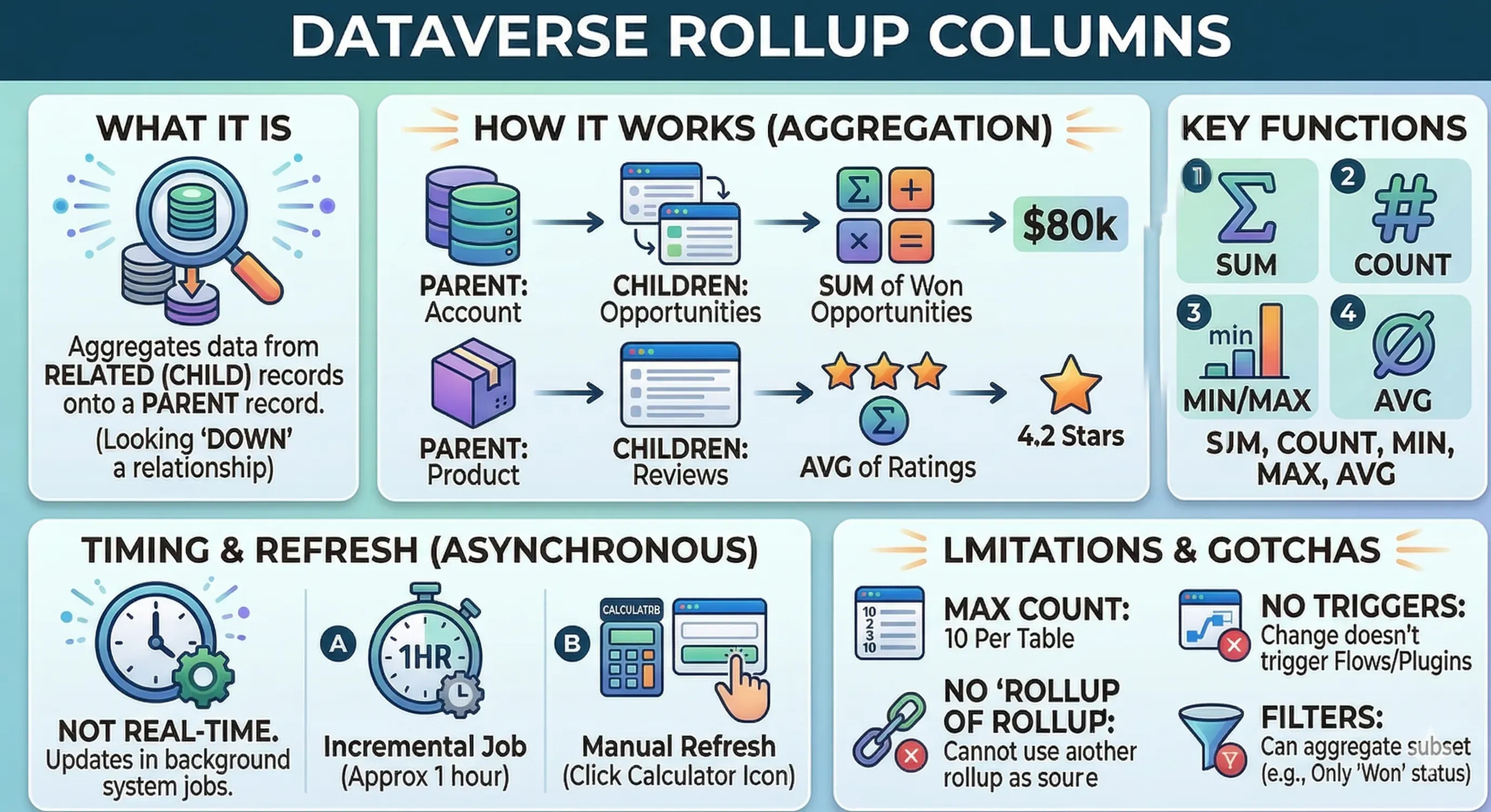
What it is
A Dataverse column that aggregates data from related Child records and stores that summary value on the Parent record (looking “down” the relationship). It is designed to summarize metrics like total sales, average ratings, or the count of active cases.
🔑 Key Features & Rules
- Direction (1:N): Aggregates Child (Many) records to a Parent (One) record.
- Relationship Focus: Only works across relationships (e.g., Accounts summary for related Contacts) or a self-referential hierarchy.
- Aggregations: Supports standard mathematical operations:
SUM,COUNT,MIN,MAX,AVG. - Filters: You can add conditions to only aggregate a specific subset of child records (e.g., Only
SUMOpportunities where Status = Won). - User Manual Refresh: While scheduled automatically, users can click a small calculator icon next to the field on a form for an instant update of that single record.
⚠️ Limitations & “Gotchas”
- Asynchronous (Not Real-Time): Updates are not instant upon saving a record. They rely on background system jobs to calculate the totals.
- Update Frequency: By default, updates occur roughly every hour (Incremental Job) after an initial 12-hour mass calculation.
- No Triggers: Changes to a rollup column value DO NOT trigger Power Automate flows or plugins.
- Depth Restriction: You cannot create a rollup that summarizes another rollup column (Column A cannot rollup Column B if Column B is already a rollup).
- Max Count: There is a strict maximum of 10 rollup columns per table.
💡 Example Scenario
Objective Track the total value of all successfully closed sales on an Account.
- Parent Table: Account
- Child Table: Opportunity
- Aggregation:
SUMof “Actual Revenue” - Filter: Only where Opportunity “Status” is “Won”.